What Is the Risk Intelligence Network?
The Creditsafe Risk Intelligence Network is a secure customer community designed to help businesses identify suspicious or high-risk activity across their commercial relationships. Participating organizations can share information about concerning business behavior, which Creditsafe reviews and verifies before making it available to the wider Network.
With the Risk Intelligence Network, organizations can:
- Identify potentially high-risk businesses earlier.
- Strengthen efforts to flag suspicious behavior earlier.
- Access verified intelligence based on real-world business activity.
- Improve confidence when assessing customers, suppliers, and partners.
- Reduce exposure to financial losses, reputational damage, and operational disruption.
- Add another layer of insight to existing risk management and due diligence processes.
How to Flag Suspicious Activity
If you've identified a company engaging in suspicious or potentially high-risk behavior, you can submit a report through the Risk Intelligence Network for review by Creditsafe.
Step by step instructions are below, or click here for a Guided Walkthrough
Step 1: Log in to Creditsafe
Sign in to your Creditsafe account.
Step 2: Search for the Company
Select Company Search and enter your search criteria to locate the business you wish to report.
Step 3: Select the Company
From the search results, open the company record for the business you want to flag.
Step 4: Open the Reporting Form
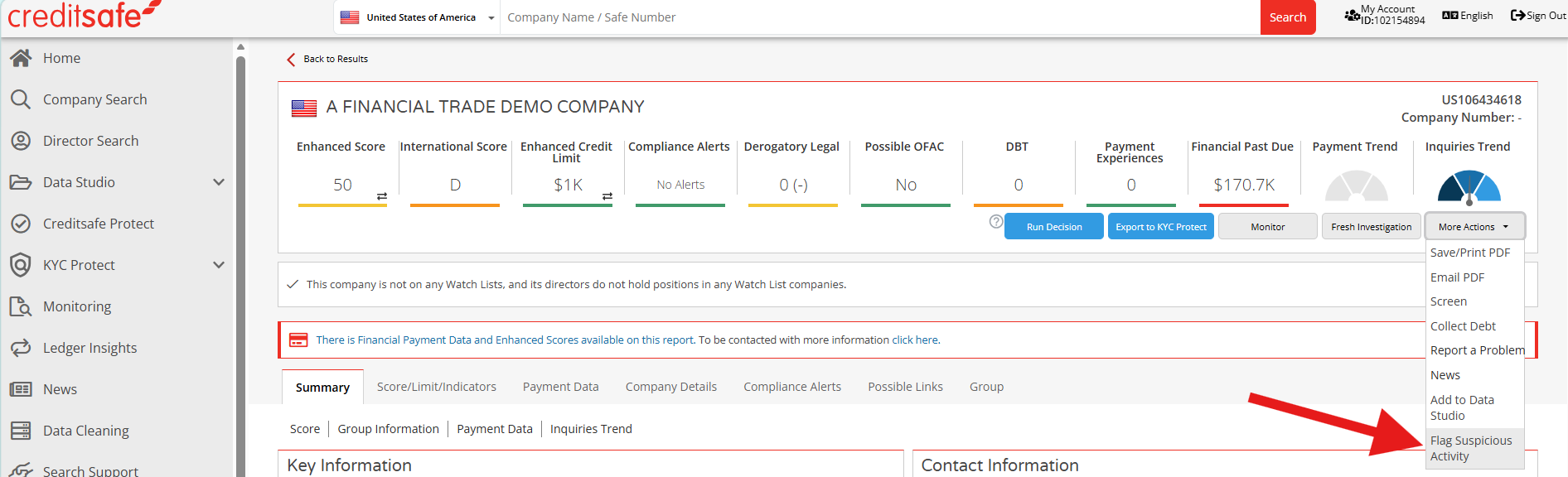
From the company record, select More Options and choose Flag Suspicious Activity.
Step 5: Review the Company Details
Verify that the company information displayed on the form is correct, including:
- Company name
- Trading name
- Registration number
- Address information
Confirm that you are reporting the correct organization before proceeding.
Note: The User Guide is available to download on this page
Step 6: Provide Incident Details
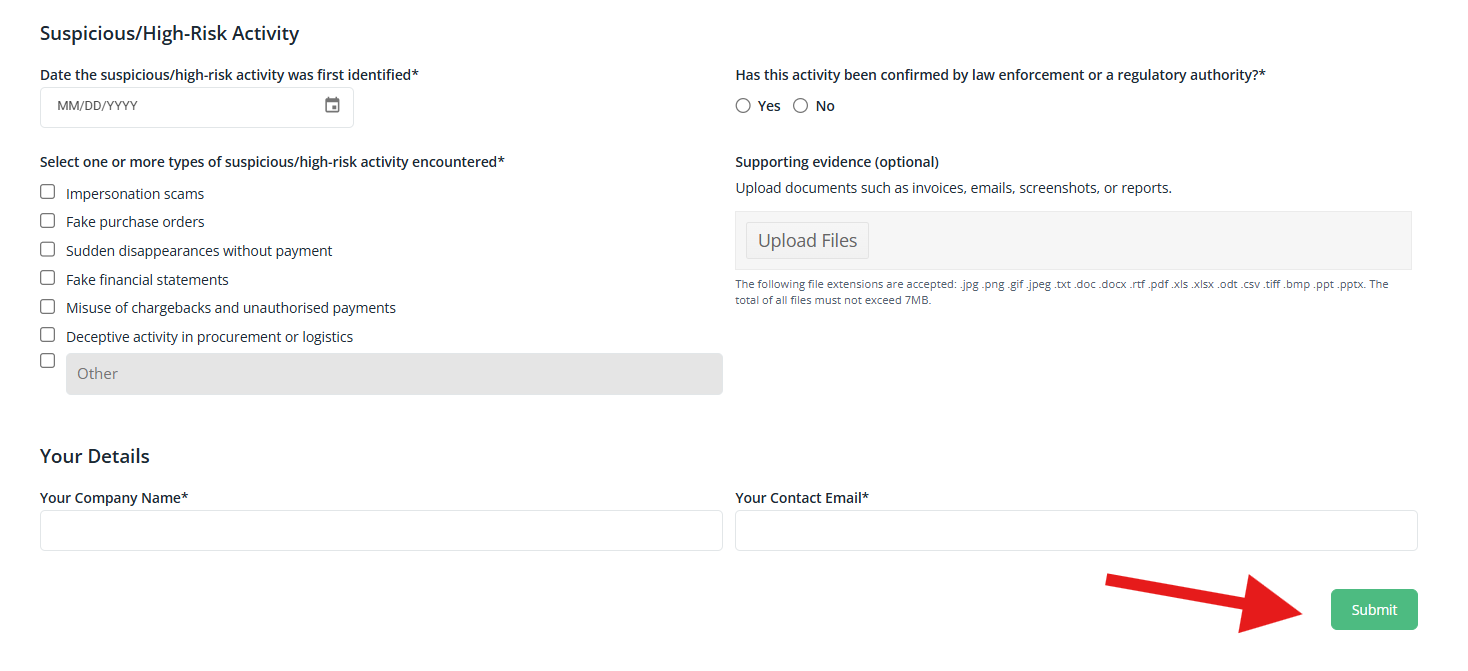
Under Suspicious/High-Risk Activity:
Enter the date the activity was first identified.
Select the category that best describes the activity:
- Impersonation scams
- Fake purchase orders
- Sudden disappearances without payment
- Fake financial statements
- Misuse of chargebacks and unauthorized payments
- Deceptive activity in procurement or logistics
- Other
Indicate whether the activity has been confirmed by law enforcement or a regulatory authority.
Step 7: Upload Supporting Evidence (Optional)
Supporting documentation can help Creditsafe validate and investigate the reported activity. Examples include:
- Invoices
- Purchase orders
- Email correspondence
- Screenshots
- Investigation reports
- Other relevant business records
Only upload documents directly related to the reported activity.
Step 8: Provide Your Contact Information
Enter:
- Your company name
- Your business email address
Your contact information will only be used if additional details are required during the review process.
Step 9: Submit the Report
Review the information for accuracy and click Submit.
Creditsafe will review the information and supporting evidence before determining whether the intelligence should be included in the Risk Intelligence Network.