
Summary
Follow these steps to locate the Business Principal Report (BPR) tool, enter the business principal’s information, submit the request, and download the completed report.
How to Run a Business Principal Report
Creditsafe provides two ways to start a Business Principal Report:
- From Director Search
- From a principal listed on a Creditsafe company report
The steps below walk you through both options, from starting the search through downloading the completed BPR.
Option 1: Run a BPR from Director Search
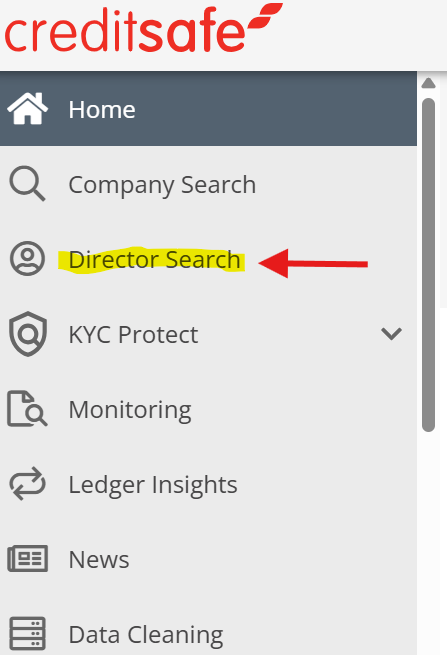
Step 1: Open Director Search
- Sign in to Creditsafe.
- Select Director Search from the navigation menu.
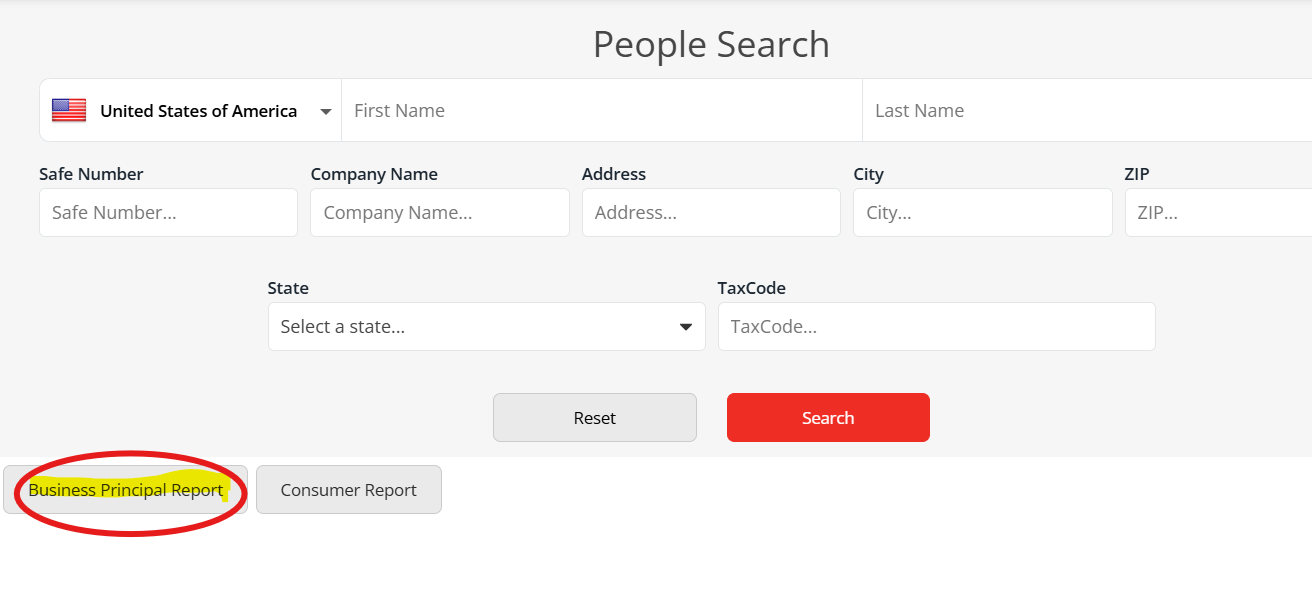
Select the Business Principal Report tab.
Step 2: Accept the Business Principal Report Notice
Before entering the Business Principal’s information, you will be prompted with a notice explaining that Business Principal Report data is regulated by the Fair Credit Reporting Act and may only be used as part of a business decision.
Click Accepted to acknowledge the notice and continue to the Business Principal Report search form.

Step 3: Enter the Business Principal’s Information
Complete the Business Principal Report search form using the information available for the individual.
The following information is required:
- Full Name
- Full Address
- Permissible Purpose
For a more accurate match, you must also provide at least one of the following:
- Date of Birth (DOB), or
- Social Security Number (SSN)
Providing both DOB and SSN, when available, may help further identify the correct individual.
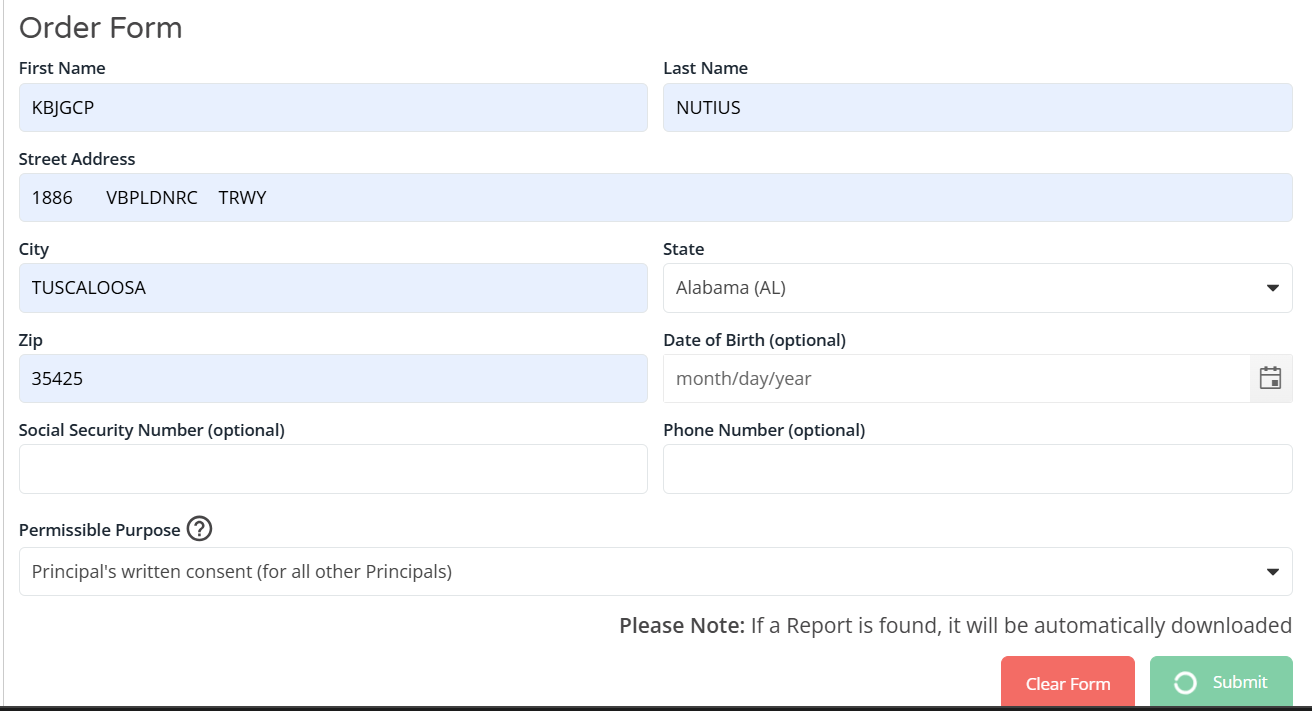
Select Your Permissible Purpose
Select the appropriate Permissible Purpose from the available options on the BPR form.
Step 4: Submit the BPR Request
Once the applicable information has been entered:
- Review the information entered on the form.
- Select Submit to request the Business Principal Report.
Step 5: Download the Report
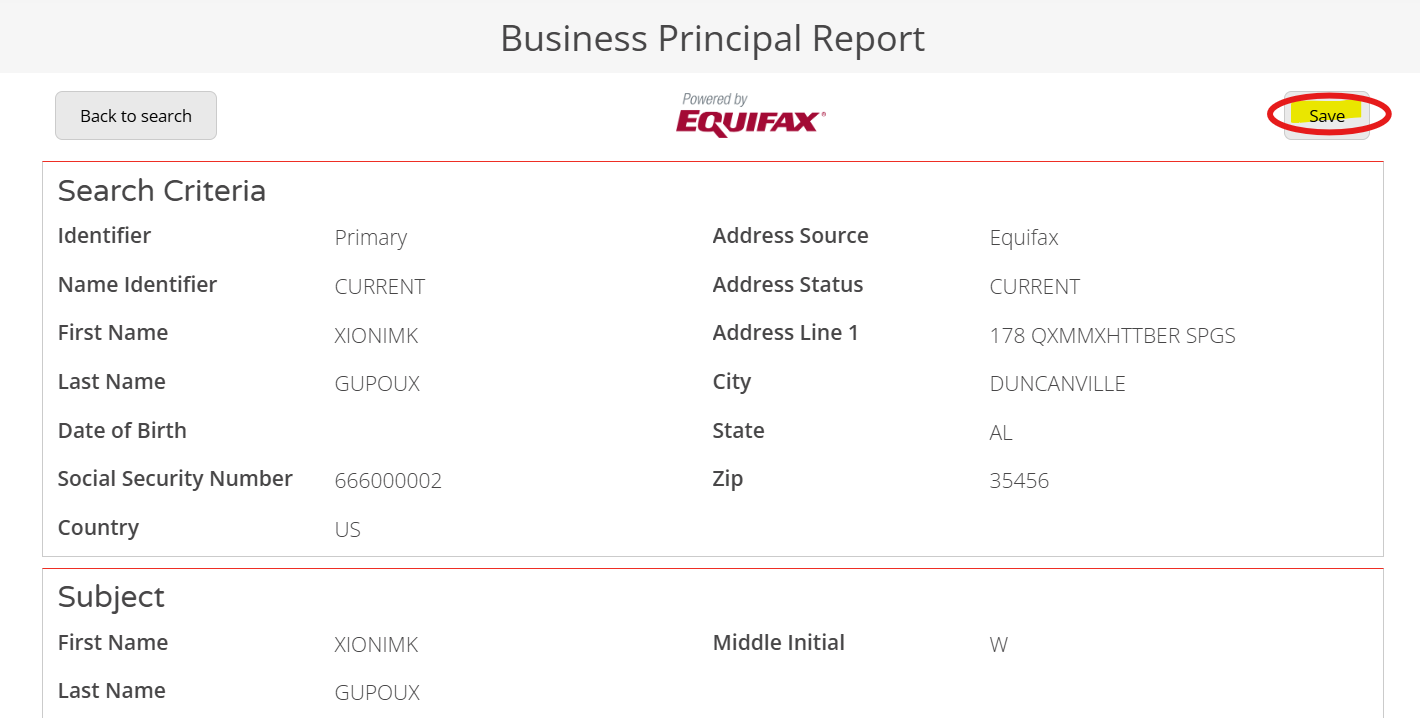
After you submit the request, the completed report opens. Select Save in the top-right corner of the report to keep a copy.
Option 2: Run a BPR from a Company Report
You can also start a BPR directly from a business principal listed on a Creditsafe company report.
Step 1: Open the Company Report
- Locate the applicable company in Creditsafe.
- Open the company report.
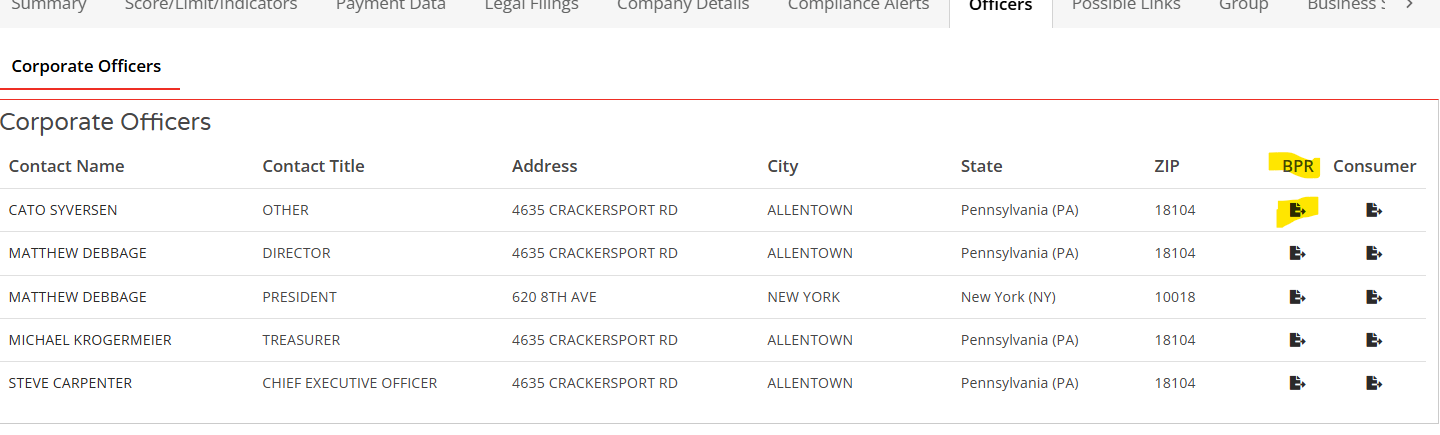
- Navigate to the company's Officers information.

Step 2: Select the Business Principal
Locate the applicable business principal and select the download button.
Step 3: Complete the Form
The Business Principal Report form will open.
When you start a BPR from a company report, the principal’s name and state are pre-filled on the form.
Complete the remaining applicable information on the form and select the appropriate Permissible Purpose.
Step 4: Submit the Request
After completing the form:
- Review the information entered.
- Select Submit to request the BPR.
Step 5: Download the BPR
Select Save in the top-right corner of the report to keep a copy.