View User Role & Permission Change Logs in KYC Protect
Print
Modified on: Wed, 22 Jul, 2026 at 7:36 PM
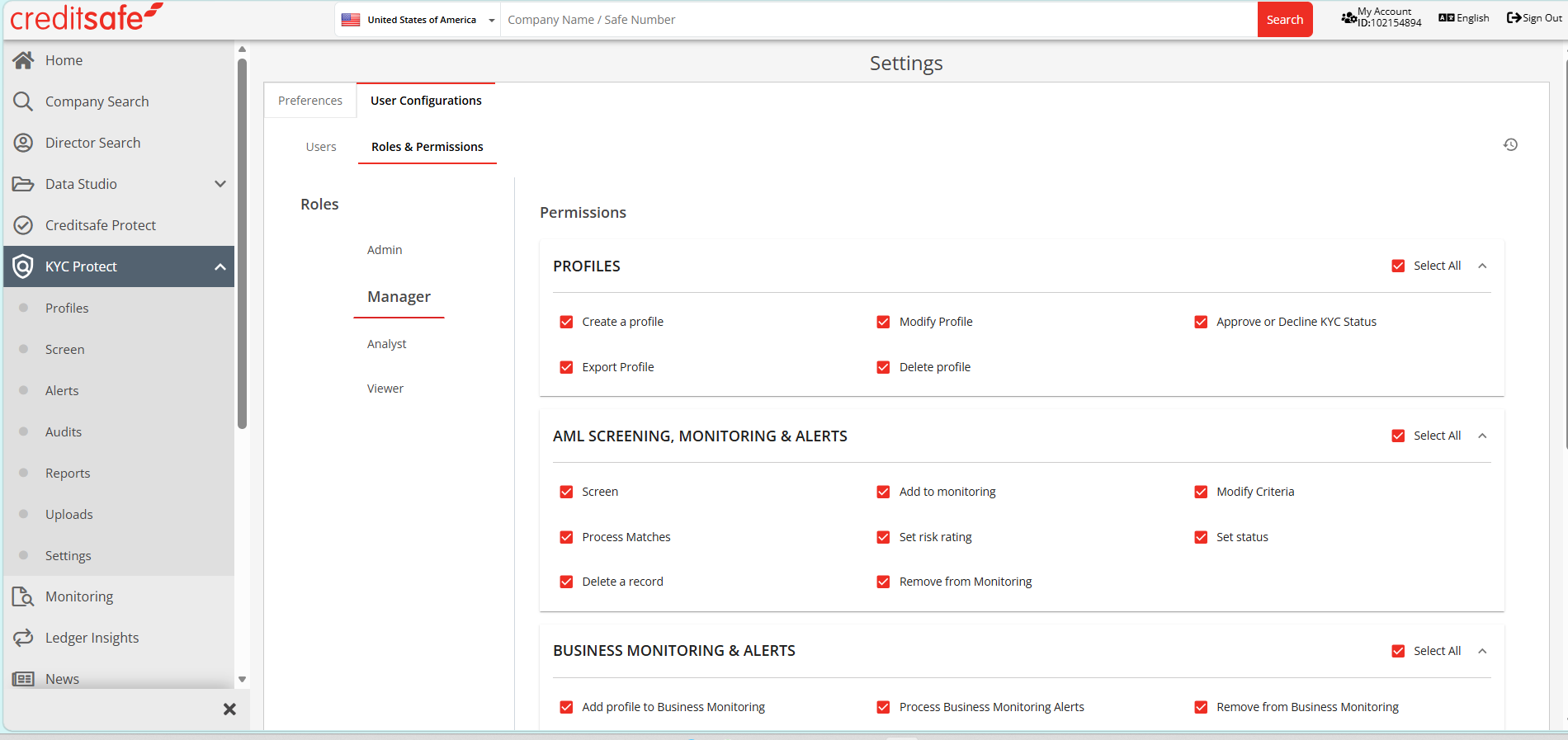
- In the Creditsafe Platform, click on KYC Protect on the left menu bar
- Click on Settings
- You will be taken to the Settings area of KYC Protect
- Click on the User Configurations tab
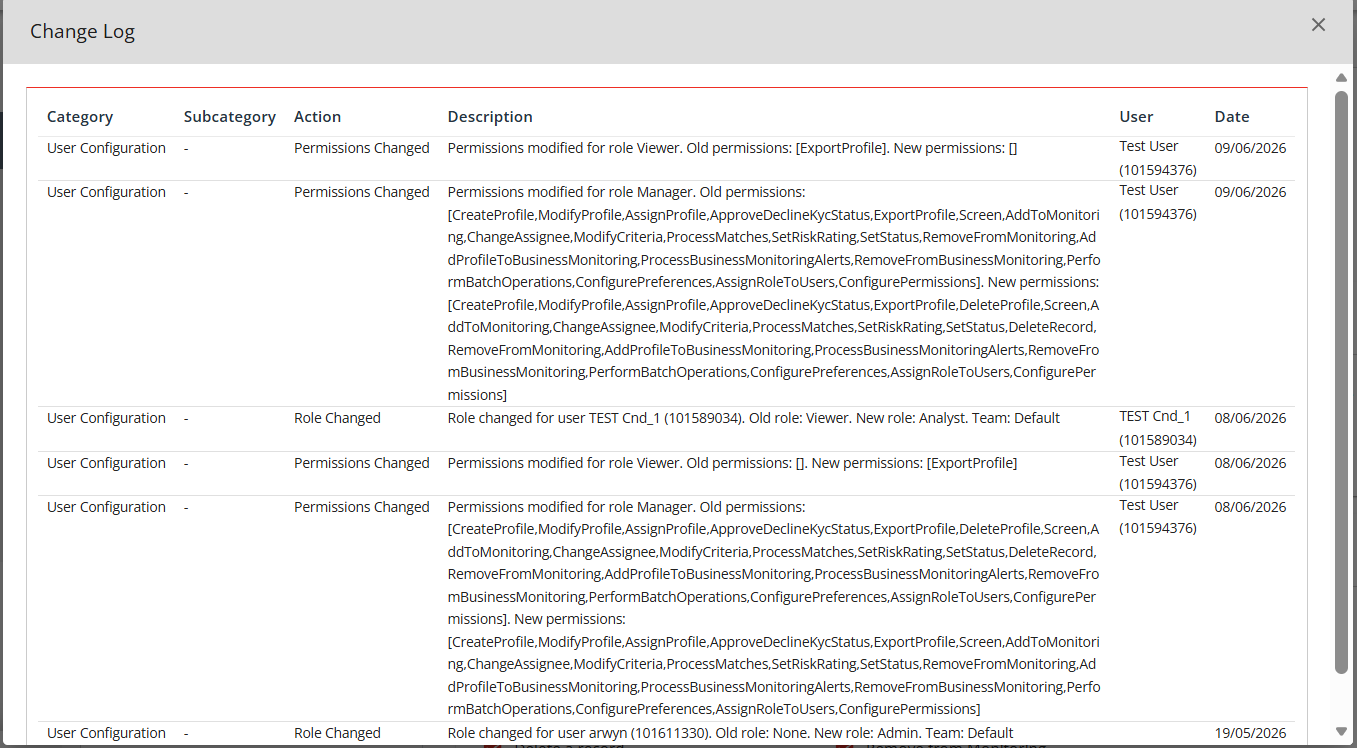
- Click on the small clock icon on the right of the screen to access the change log
- The change log will appear as a pop-up on the page. You cannot download this information
- Click to close the change log
Did you find it helpful?
Yes
No
Send feedback Sorry we couldn't be helpful. Help us improve this article with your feedback.
